Fun Over Function
One of the ways I am dealing with the dread and disappointment of job hunting is to make things for fun.
With any luck, I’ll soon be back to the pressures of deadlines and demos.
In the mean time, however, I hope to recapture some of the joy from when I started doing this.
Sometimes I think a little too literally, so when I thought of fun, I immediately equated that to a game.
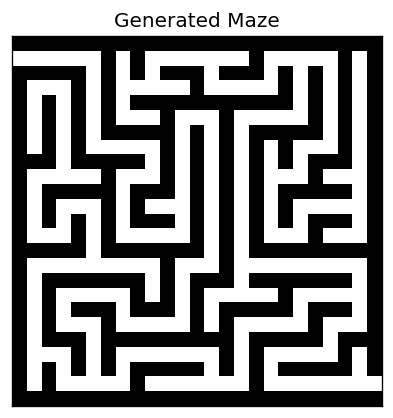
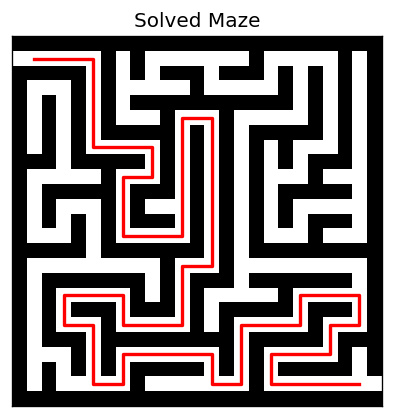
I started out with trying to draw a maze using Python. This was a simple but intriguing/fun application of Depth First and Breadth First Search algorithims to create and solve the maze.
I’d create the maze with the DFS algorithm, and then use the BFS algorithm to find the solution, drawing both of these in succession using matplotlib.
A more detailed descsription of creating and solving the maze can be found in this blog post. It also includes how to draw/animate both with matplotlib.
| Generated maze | Solved maze |
|---|---|
 |
 |
However, the novelty wore off soon enough and I wanted to make it interactive.
A little research down this path led me to the Python curses library used for drawing to terminals.
There’s better suited and refined tools for this but I figured I’d start with the most basic.
After a little tinkering, I have the start of what will be a maze game that a player can solve by moving a character with the arrow keys.
The plan I’ve devised so far is as follows:
- Draw a maze
- Insert a player character
- Listen to specified keys that control the direction of the character
- Draw/undraw the path made by the player character to solve the maze.
See this repo for the code.
To draw the maze, I loop over the maze (n-dim numpy array) with an enumerator and draw the maze using spaces for the path and a character for the walls.
The enumerator provides the indices that act as the co-ordinates to pass to Curses’ addstr function.
Coincidentally, no transposition is needed since the matrix indices map to Curses’ quirky (y,x) co-ordinate system. A few other considerations need to be made however. For one, drawing in the bottom right corner tends to raise an out-of-bounds error since Curses tries to advance the cursor after drawing every character.
Additionally, characters should only be drawn if they fall within the screens dimensions, which may be resized by the user while drawing. This can prevented by checking that these co-ordinates are bounded by Curses’ getmaxyx function.
More improvements to the maze are probably needed for visual clarity e.g
- more spaces so the paths are clearer and can accomodate the
- or ensuring the vertical walls are also completely sealed off
The second and third steps should be easy enough to do with the getch and addstr methods and I’ll be tackling those next but for now this should do.
‘What the world needs more of, is for people to figure out who they are, so they can go out there and be that’ - terrible paraphrasing of something I read once.
‘The unexamined life is not worth living’ - Socrates, supposedly.
Letting my interest and curiosity guide me along has always been a more enjoyable and productive experience to me.
Tinkering and trying to figure out things, is in this way, the most (but not only) important part of this. With that in mind, I’ll stop this post here and get back to it.